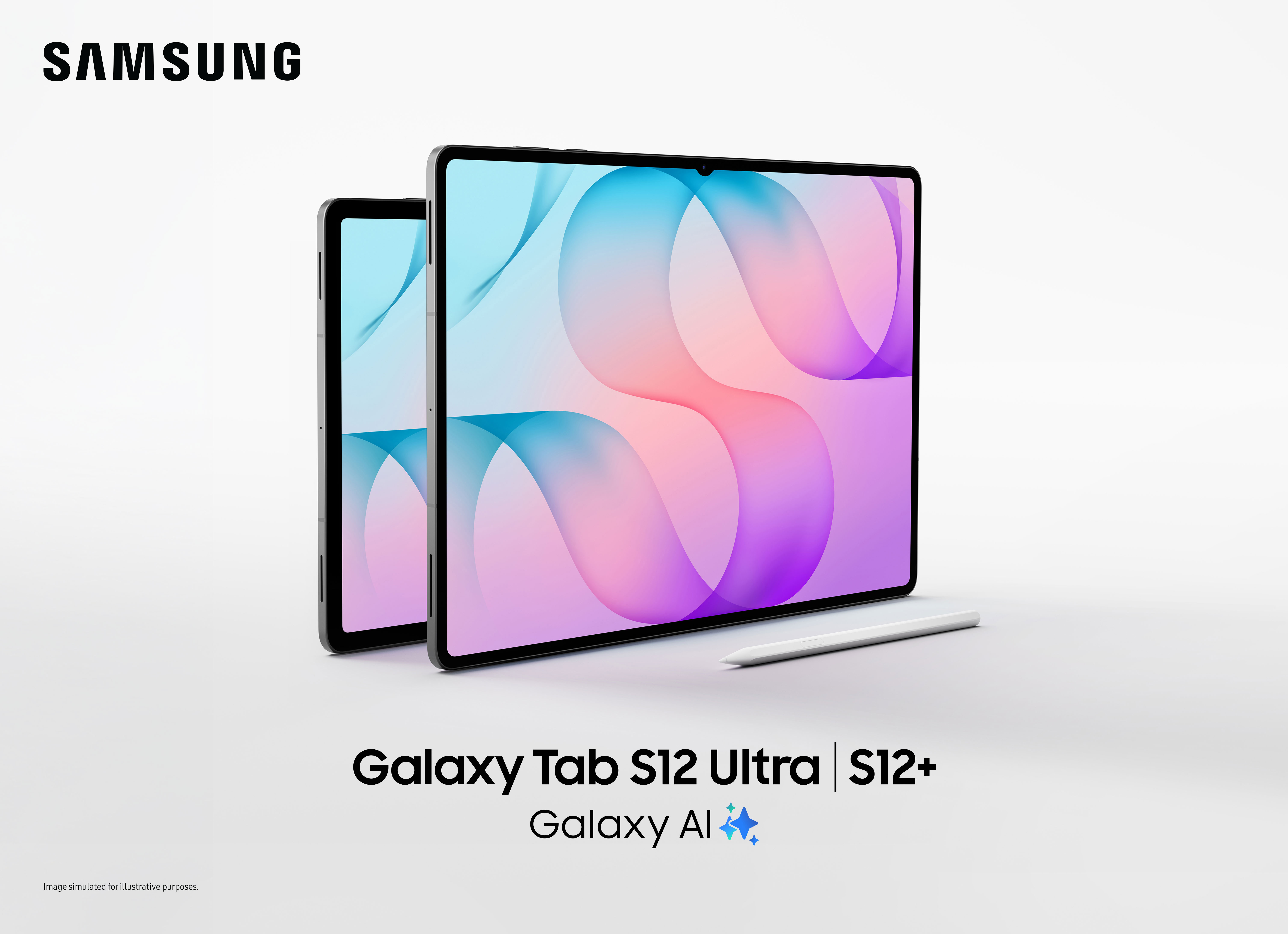
Before spending your hard-earned money on the new Samsung Galaxy Tab S12 Ultra Philippines release, you need to know if this massive flagship slate actually fits your daily workflow.
A flagship tablet screen looks stunning under showroom spotlights. It is easy to picture yourself sketching concepts, effortlessly multitasking between three open documents, or replacing your heavy laptop entirely. But once the excitement settles, a painful reality often surfaces: buying mistakes last significantly longer than the thrill of opening a new gadget.
AA Tech Hunter exists to help Filipinos understand consumer technology before spending their hard-earned savings. We believe buyers do not need more promotional hype; they need practical clarity. Our editorial responsibility is never to push a sale, but to help you decide whether the Samsung Galaxy Tab S12 Ultra solves a real problem in your daily life.
Before You Read
- Evidence Level: Level 4 — Research & Verified Launch Documentation.
- Evaluation Context: Official technical release documentation, launch terms, and verified Philippine retail data provided by Samsung Philippines.
- What Was Evaluated: Confirmed hardware dimensions, display specifications, official productivity bundle inclusions, software update commitments, and local retail finance promos.
- What Could Not Be Tested: Extended real-world battery drain tests, long-term thermal throttling under intensive mobile video rendering, and hands-on structural drop durability.
Quick Info & Specs Overview
| Detail | Galaxy Tab S12+ | Galaxy Tab S12 Ultra |
|---|---|---|
| Display | 12.6-inch Dynamic AMOLED 2X | 14.6-inch Dynamic AMOLED 2X |
| Peak Brightness | Up to 1,600 nits | Up to 1,600 nits |
| Thickness | Ultra-thin profile | 5.1 mm |
| Durability | IP68 water & dust resistance | IP68 water & dust resistance |
| In-Box Stylus | Ergonomic S Pen included | Ergonomic S Pen included |
| Software Support | 7 OS upgrades + 7 years security | 7 OS upgrades + 7 years security |
| Best For | Mobile professionals & students | Digital artists, editors, power multitaskers |
| Quick Verdict | WAIT (Check trade-in & bundle value) | BUY (If screen real estate is your primary tool) |
The Buying Story: When Ambition Meets Everyday Reality
Every year, premium tablets promise to replace traditional personal computers. The arrival of the Samsung Galaxy Tab S12 Ultra Philippines lineup enters the local market with a clear message: bridging the gap between raw creative inspiration and finished professional output.
At just 5.1mm thin on the Ultra model with an expansive 14.6-inch Dynamic AMOLED 2X panel, the physical hardware is undeniably impressive. For digital illustrators, culinary chefs organizing high-res plating portfolios, and video editors managing timelines, having that much screen real estate feels liberating.
Yet, a fundamental buying question must be answered before you commit a significant portion of your savings: Does your daily workflow actually demand an ultra-thin 14.6-inch digital slate, or are you paying a massive premium for power and size you will rarely use?
Screen Real Estate vs. Everyday Portability
The centerpiece of the Samsung Galaxy Tab S12 Ultra series is its display technology:
- Dynamic AMOLED 2X Panels: Both the 12.6-inch Tab S12+ and 14.6-inch Tab S12 Ultra deliver peak brightness levels reaching up to 1,600 nits. This brightness allows for legible outdoor viewing, client presentations in sunlit coffee shops, and accurate color grading.
- Multi Window Workspace: The software interface supports simultaneous three-app split-screen arrangements. You can keep a video conference, research browser, and Note document active without switching windows.
- The Ergonomic Trade-off: While the 5.1mm profile makes the Tab S12 Ultra exceptionally sleek, a 14.6-inch tablet occupies considerable bag space and demands two hands for stable operation. If you regularly work on public transit or compact café tables, the 12.6-inch Tab S12+ provides a far more practical footprint.
The Value of the Included Productivity Bundle
A major hidden friction point when buying premium tablets is accessory tax. Buyers often discover that keyboards, styluses, and fast wall chargers must be purchased separately at substantial additional cost.
Samsung Philippines addresses this during the launch window by bundling practical accessories:
Standard In-Box Inclusions
- Official S Pen stylus inside every retail box.
- USB-C to USB-C data and charging cable.
Launch Productivity Package
- Free Book Cover Keyboard Slim: Converts the slate into a typing workstation without adding bulk.
- Free 45W Travel Adapter: Provides the full charging wattage supported by the hardware.
- Software Value Additions: 1-year Microsoft 365 personal subscription, 6 months of Google AI Pro access, and 4 months of Adobe Photoshop.
If you calculate the retail cost of a dedicated keyboard cover, high-wattage power adapter, and software subscriptions, this promotional bundle represents substantial upfront savings for students and remote workers evaluating the Samsung Galaxy Tab S12 Ultra in the local market.
Long-Term Value: The 7-Year Support Commitment
A major anxiety for Android tablet buyers has historically been short software lifecycles.
The Samsung Galaxy Tab S12 Ultra Philippines release guarantees up to seven generations of Android OS upgrades and seven full years of security patches.
For corporate deployments, student degree timelines, or creator setups, this seven-year commitment protects your initial investment. The device will remain secure and compatible with modern web services well into the next decade.
Samsung Galaxy Tab S12 Ultra Philippines Buying Decision Framework
Hidden Costs to Keep in Mind
- Post-Promo Accessories: If you purchase after the official bundle promotion concludes, acquiring the official keyboard cover and 45W charging brick separately will add several thousand pesos to your total receipt.
- Protective Armor: Given the large surface glass area and 5.1mm thin chassis, investing in a rugged protective case or Samsung Care+ coverage is practically mandatory if you work in field environments.
Hidden Compromises
- Handheld Usability: The 14.6-inch Ultra model is not designed for one-handed reading. It is essentially an ultrabook-sized screen that requires a flat desk or a lap stand for extended use.
- Android Desktop Limitations: While Multi Window and Samsung DeX provide solid multitasking, specialized desktop operating systems still offer broader legacy desktop software support.
Hidden Benefits
- IP68 Ingress Protection: Water and dust resistance means accidental liquid spills on your workspace or light rain during travel will not ruin your device.
- Pre-calibrated Stylus: The included S Pen does not require extra purchases or initial pairing hassle to start sketching and taking notes out of the box.
Who Should Buy, Wait, or Skip?
Buy If:
- You are a digital illustrator, animator, or visual creative who needs an expansive color-accurate canvas with an out-of-the-box stylus.
- You plan to take advantage of the local launch promotions (up to ₱12,000 trade-in savings, up to 20% student discount, and free keyboard/charger bundle).
- You want an Android productivity tablet that will stay secure for seven years of active use.
Wait If:
- You already own a functioning Galaxy Tab S9 or S10 series tablet. The performance jumps and display enhancements are iterative rather than revolutionary for basic document editing and media consumption.
- You are waiting for mid-year retail discounts and carrier contract bundle packages.
Skip If:
- You primarily need a tablet for streaming video in bed and casual web browsing. A standard base-model tablet will save you tens of thousands of pesos.
- Your workflow relies heavily on desktop-exclusive software packages that Android cannot execute.
Final Verdict
The Samsung Galaxy Tab S12 Series represents the pinnacle of Android tablet engineering. It delivers the slimmest hardware profiles, brightest panels, and the most mature digital note-taking experience currently available in the Android ecosystem.
However, prestige and thin bezels do not justify spending hard-earned money on capabilities you will not use. Only invest in the Samsung Galaxy Tab S12 Series if you have a defined, practical use case that demands stylus precision, massive split-screen multitasking, or field-ready portability. Otherwise, let your current setup keep working for you.
Related Guides & Internal Reading
- One UI 9 Galaxy S26 Update: Practical Features or Overhyped?
- Samsung Galaxy Z Fold8 & Z Series: 8 Generations Later, Is a Foldable Finally Worth Your Hard-Earned Money?
Follow AA Tech Hunter
Want more practical buying guides and everyday technology insights?
- Website: AA Tech Hunter
- YouTube: AA Tech Hunter
- Facebook: AA Tech Hunter
- TikTok: @AATechHunter
Frequently Asked Questions (FAQ)
Does the Samsung Galaxy Tab S12 Series include an S Pen in the box?
Yes. Both the Galaxy Tab S12 Ultra and Galaxy Tab S12+ come bundled with the redesigned ergonomic S Pen inside the standard retail packaging.
Does the Samsung Galaxy Tab S12 Series support expandable storage via microSD?
Yes. Both models support external storage expansion via a dedicated microSD card slot up to 2TB.
Is the 45W charger included inside the standard retail box?
No. The standard retail box contains only the tablet unit, the S Pen, and a USB-C data cable. However, qualifying launch purchases include an official 45W travel adapter as part of the promotional productivity bundle.
How many Android OS updates will the Samsung Galaxy Tab S12 Series receive?
Samsung has officially committed to up to seven generations of Android OS upgrades and seven years of security updates for both models in the Galaxy Tab S12 Series.
The AA Tech Hunter Promise
Buying technology should improve your everyday life—not cause financial stress or buyer’s remorse. We will continue to track local product launches, consumer hardware, and software ecosystems to help you spend your hard-earned money wisely.
About AA Tech Hunter
AA Tech Hunter is a creator-led technology platform where technology meets practical buying advice.
Through honest reviews, practical buying guides, product comparisons, store explorations, hands-on experiences, and educational content, we help Filipinos understand technology before they spend their hard-earned money.
Instead of simply repeating specifications, every guide focuses on the questions buyers forget to ask:
- What are the hidden costs?
- What compromises am I accepting?
- Who is this really for?
- Will I actually use these features?
- Will I regret this purchase?
Our mission is simple: Help people buy with confidence.
Official Sources & Product Information
For complete details on promotional terms, participating retail branches, and official specifications, visit the official Samsung Philippines Newsroom or explore the product lineup at Samsung.com Philippines.
Editorial Disclosure
AA Tech Hunter does not accept payment to produce favorable reviews or coverage. This report is based on official manufacturer documentation, verified press releases, and research provided by Samsung Philippines. If links are provided in future updates, they may contain affiliate links that help support our publication at no additional cost to you.
Leave a Reply